College Recruiting, Simplified
Project Overview:
An athletic recruitment startup was looking to improve the college recruitment experience: high-school athletes needed to promote themselves, and coaches needed more visibility into potential recruits. With similar solutions already on the market, the client needed a cutting-edge application that provided a novel opportunity for athletes and coaches.
Our team developed a mobile and web-based application that allows athletes to generate a public profile, search college teams that fit their roster, and message college coaches directly. This project is currently in development, and is prepared to launch in the next year.
NOTE: Client names and some UI elements have been excluded as this project is under NDA.
Role: UX/UI Designer
Platform: Adobe XD
Tools: Adobe Illustrator, Photoshop
The Process:
MARKET ANALYSIS
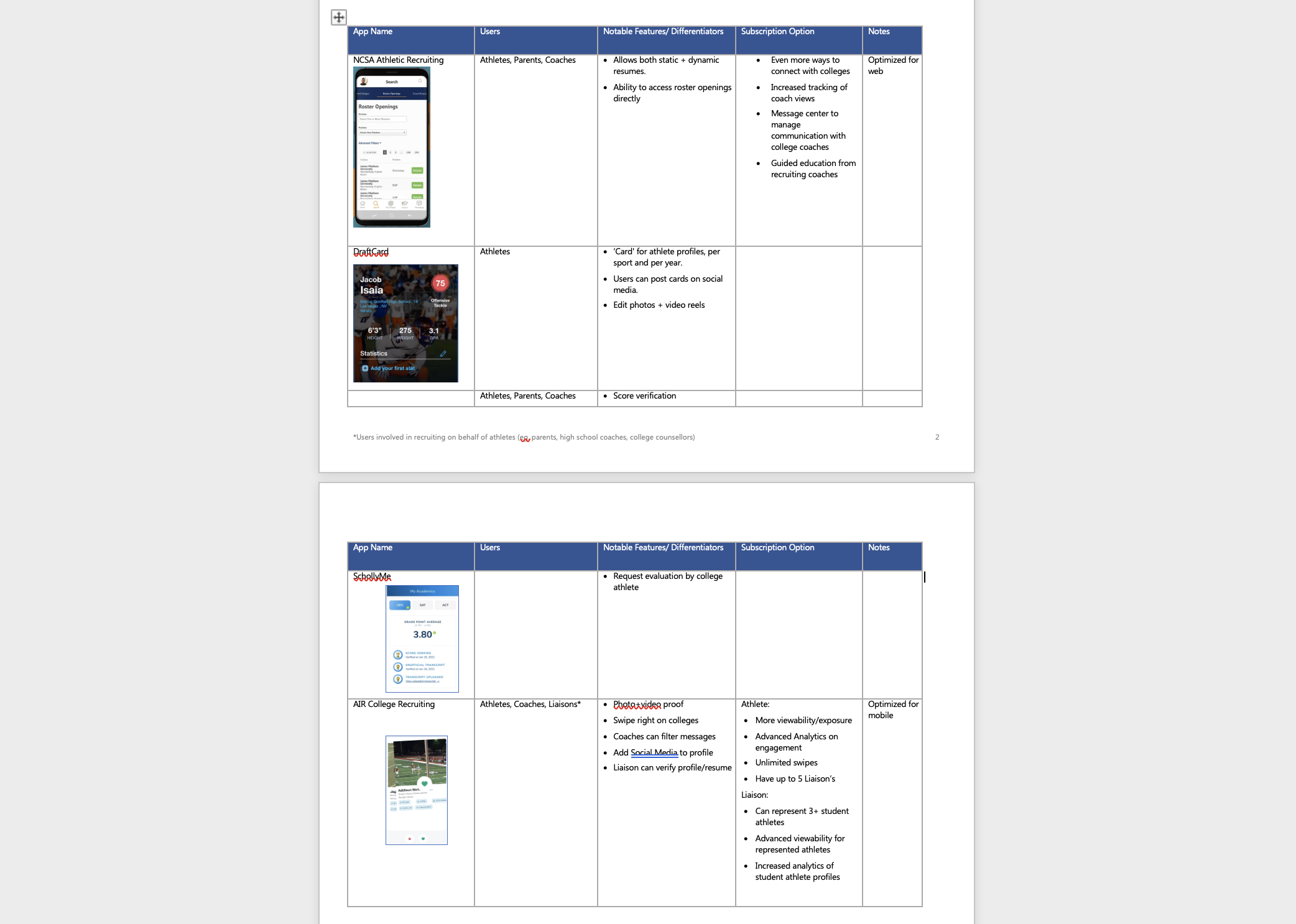
We initiated the design process by conducting a competitive analysis of existing apps on the market. We found several platforms that had unique approaches to the coach <-> athlete connecting problem, including sports ‘cards’ that high-school athletes could use to display separate profiles for each sport they played, and a tinder-style app whereby coaches can swipe left or right on high school athletes that fit their roster. By compiling and synthesizing the research, a comprehensive list of features and differentiators were collected.
MOCK UPS
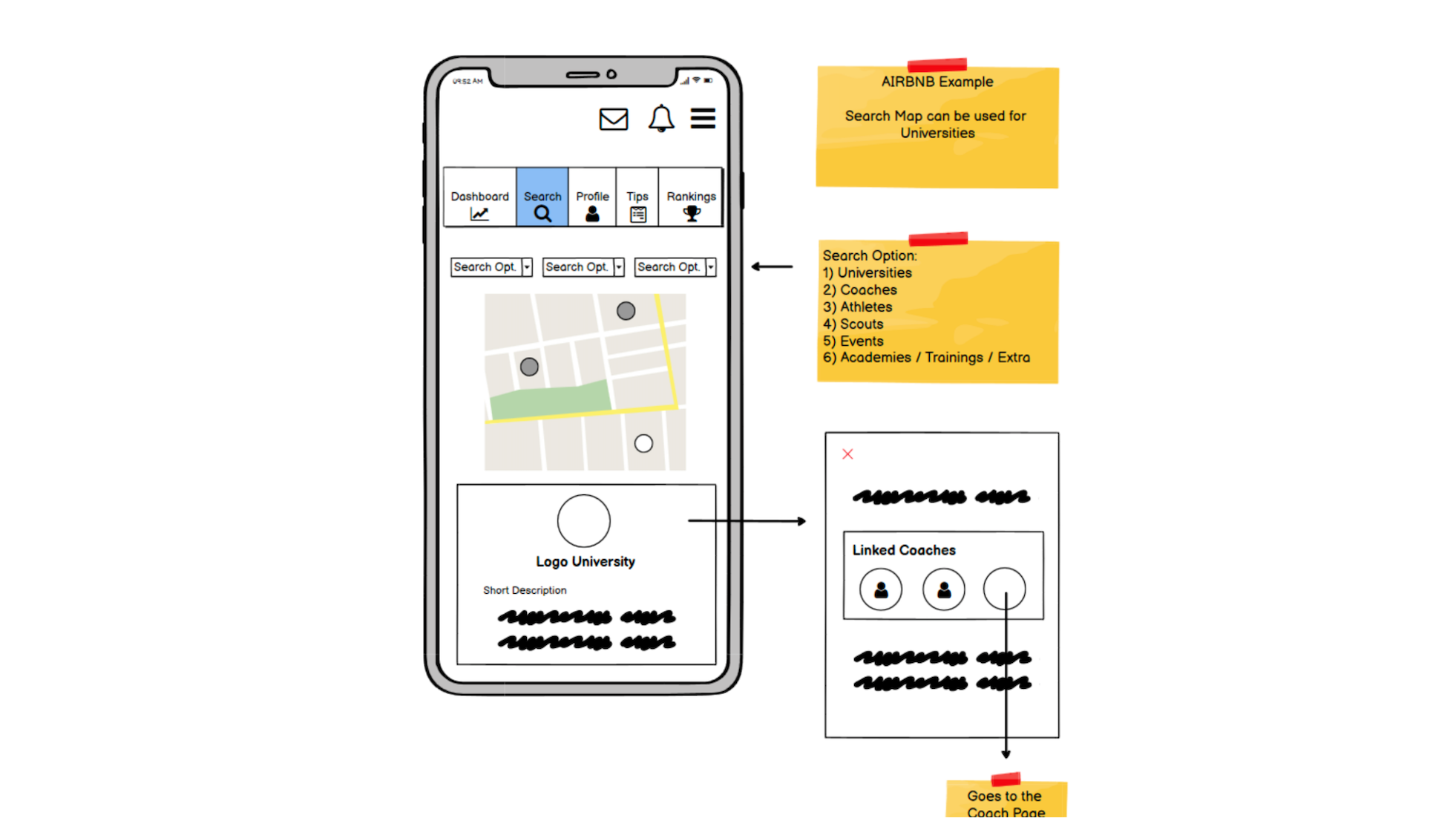
Next, we took to the drawing board and sketched low-fidelity wireframes. We were able to run the high-level flow by the client and get their preference before moving forward into high-fidelity UI design. The mock-ups also delineated the important features for the two major end-users (high-school athletes and college coaches).
STYLES
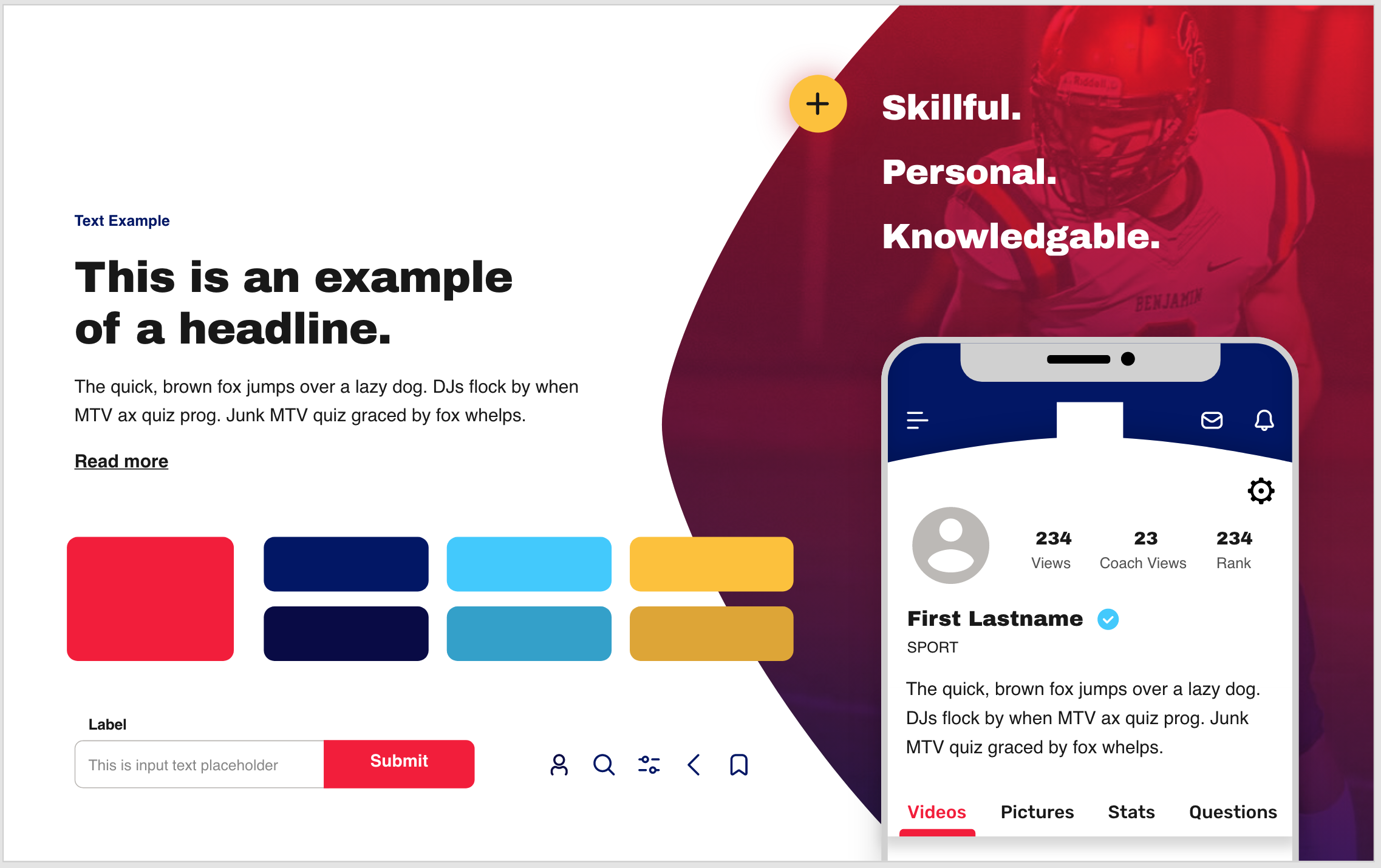
We then stepped up the level of fidelity and generated multiple style guides for the client to review. These guides accounted for effective design practice, business value, and client needs to ensure the final app would be intuitive, accessible, and productive, while also communicating the client’s brand.
PROTOTYPES
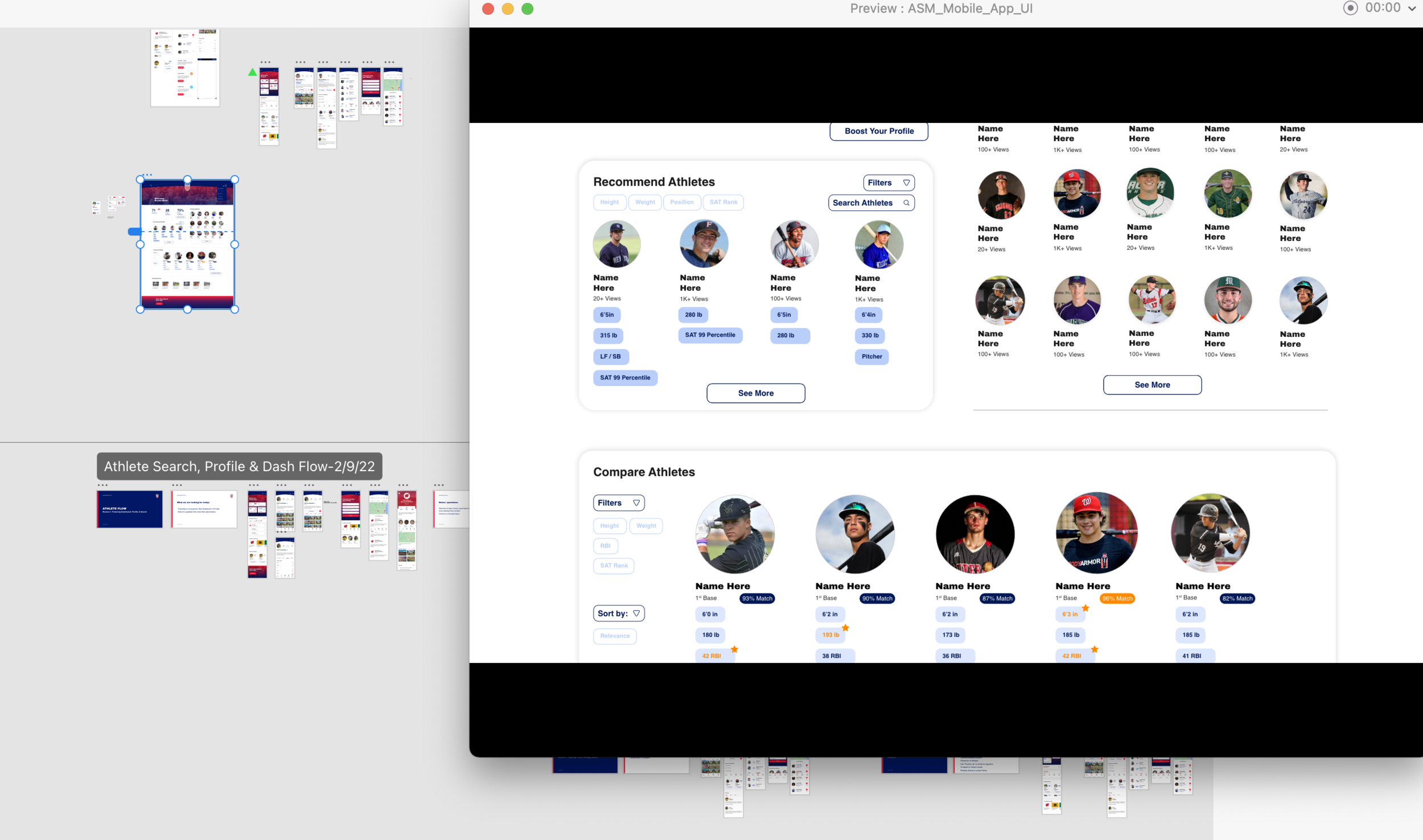
Finally, we took to XD and designed the high-fidelity prototypes for both mobile and web. Both user flows included a user profile, analytics dashboard, message center, and trending news/tips page. We worked in rapid sprints, constantly iterating prototypes and communicating updates to the client to ensure their preferences were met.
The Final Solution:
High-School Athletes:
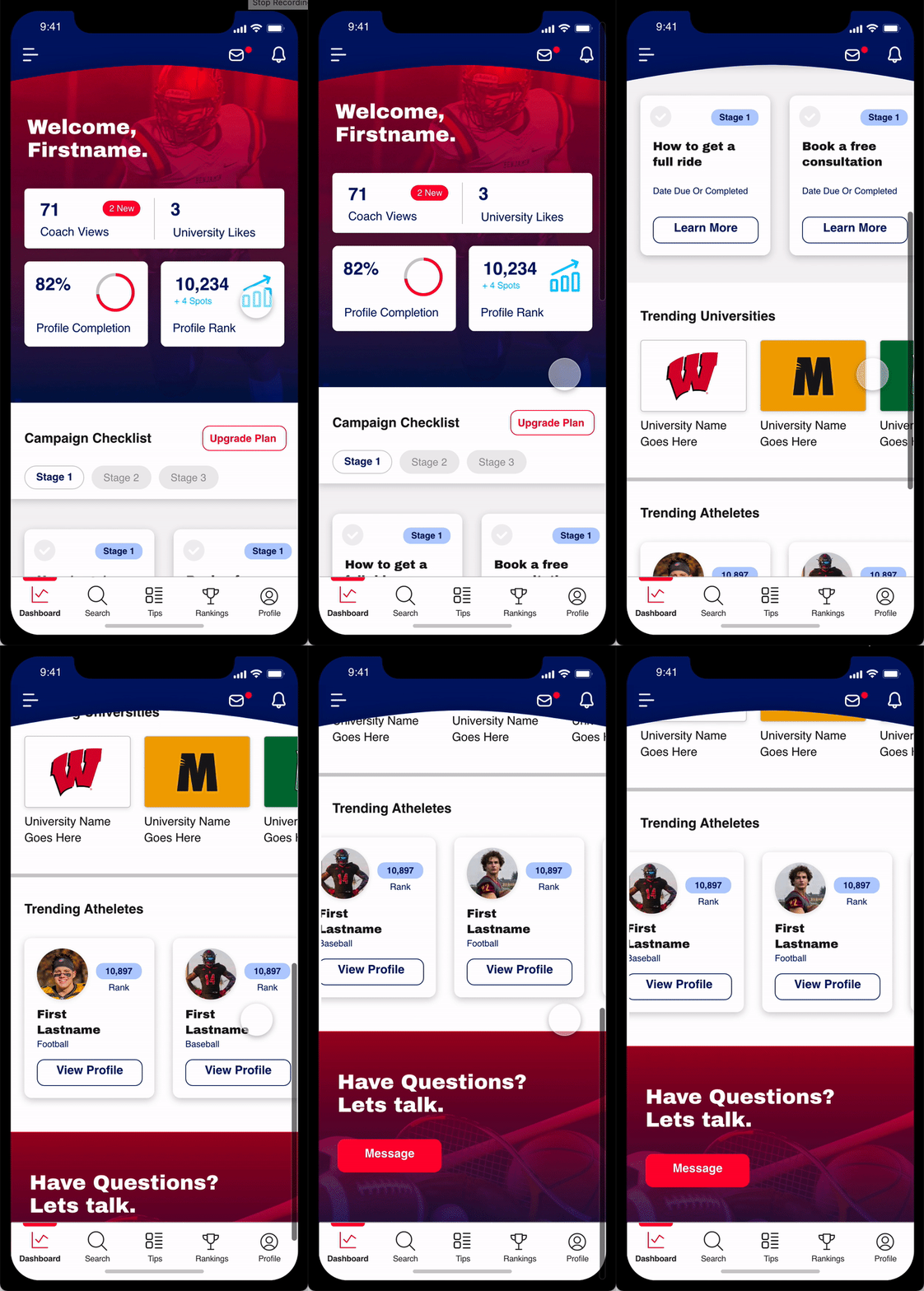
Athletes are able to access a single centralized dashboard that shows them a variety of different metrics, including how visible their profile is to recruiters, how they rank compared to other athletes, and how ‘complete’ their profile is. They can click through to get tips on boosting their profile and promoting their image.
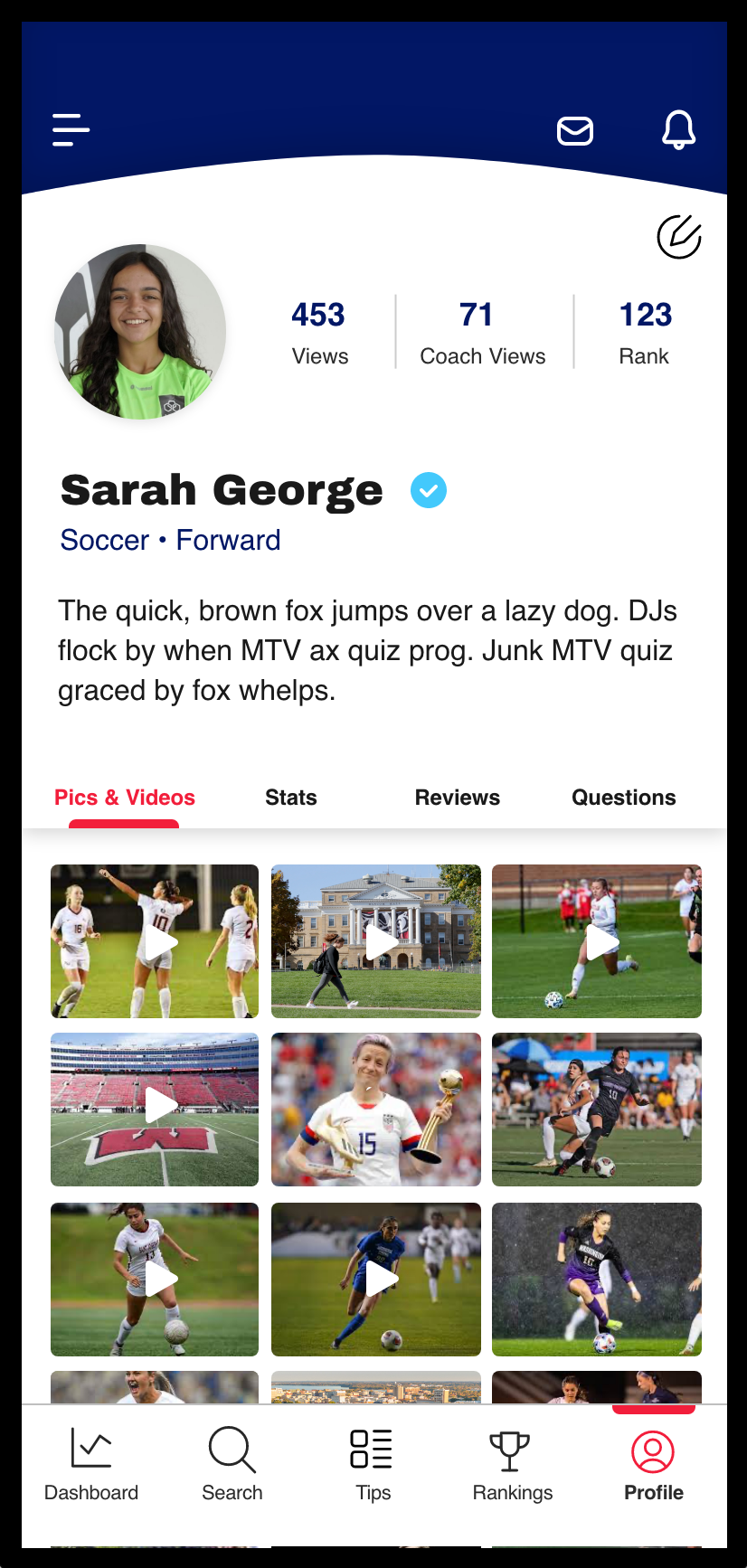
On their profile page, athletes can upload photos, videos, and stats showcasing their skill. These assets are verified by an administrator before going on the user’s public profile. Multiple formats are supported.
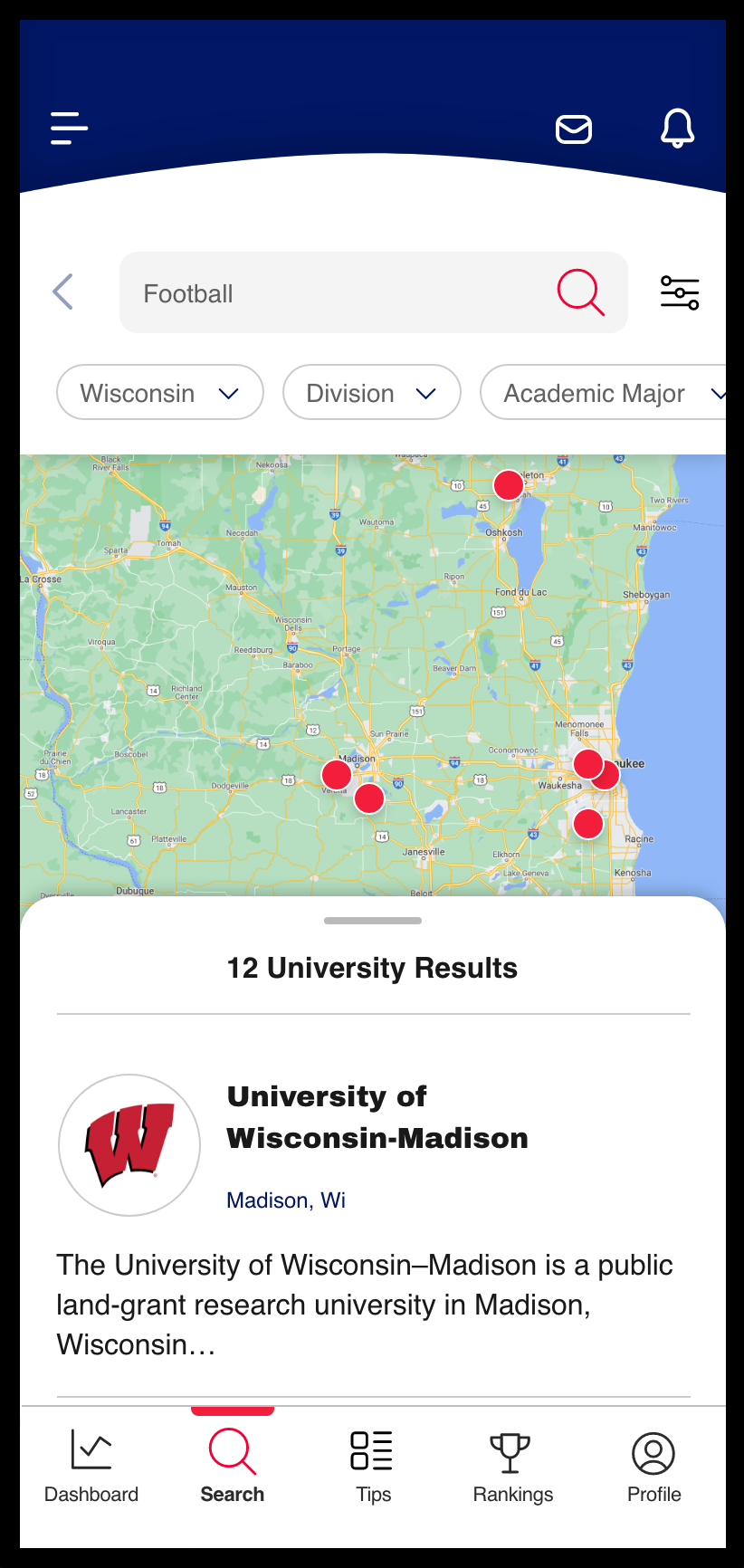
Aside from promoting their profiles, athletes are able to scout different college programs to find their best fit. Using the app’s search functionality, athletes can find colleges under a range of different filters such as location, NCAA division, and academic ranking.
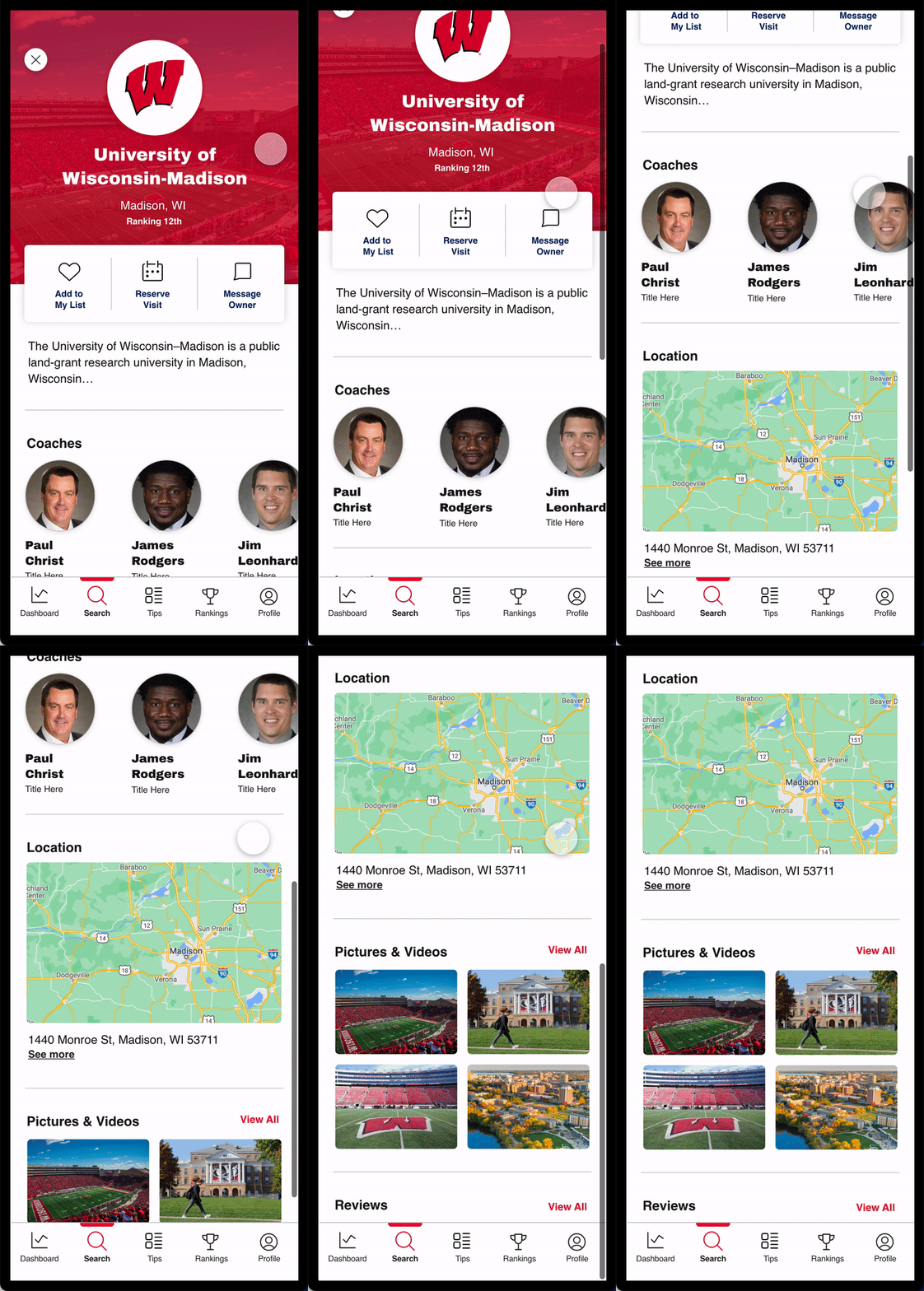
When an athlete chooses a college, they are redirected to the college profile. Here, they can access information on the college’s academic, athletic, and miscellaneous rankings. Athletes can also view the college coach profiles, and message them directly if they are interested in the college program.
College Coaches:
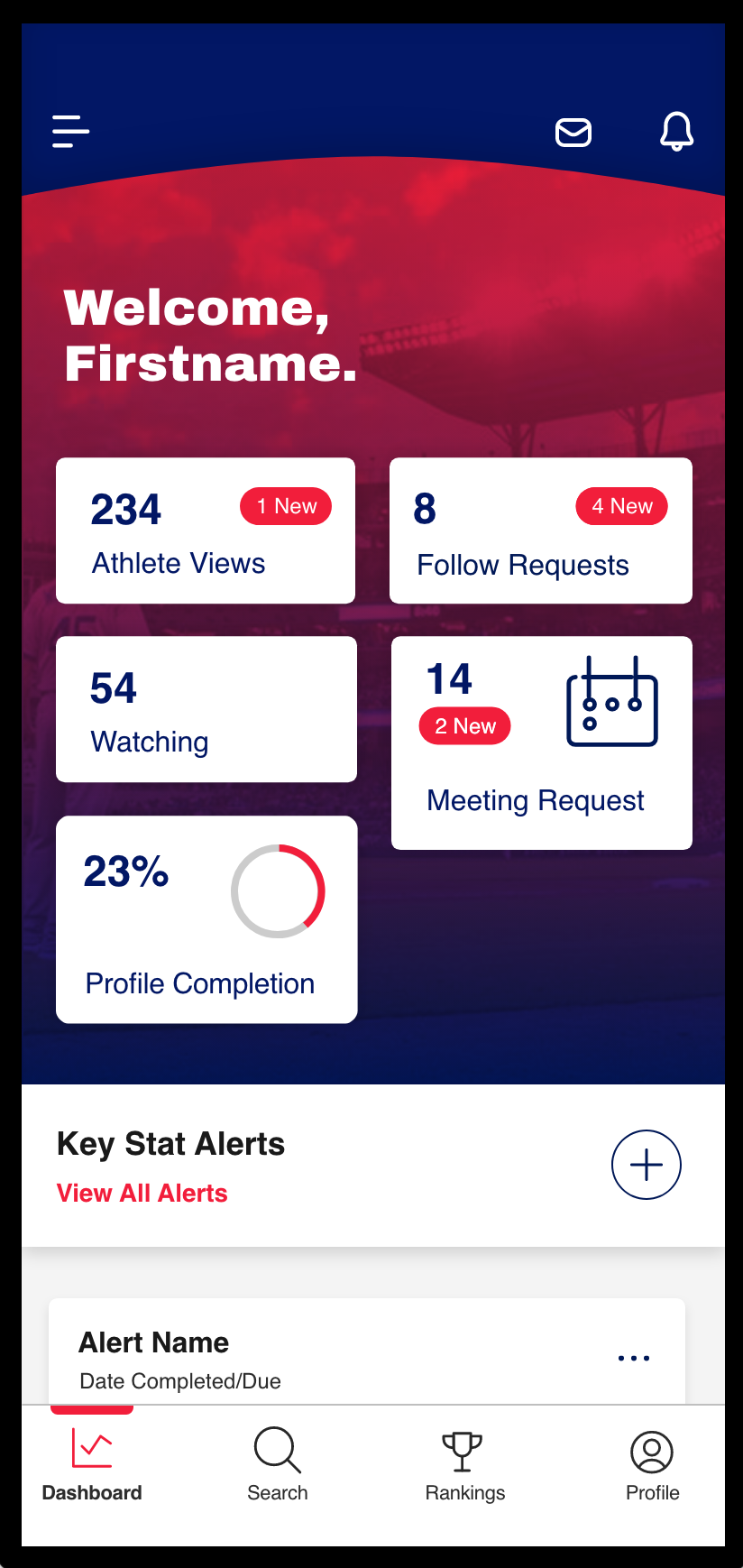
Coaches have a slightly different dashboard to high school athletes. Coaches get a summary of alerts (meeting requests, follow requests, scout alerts, etc.) as well as profile completion tips.
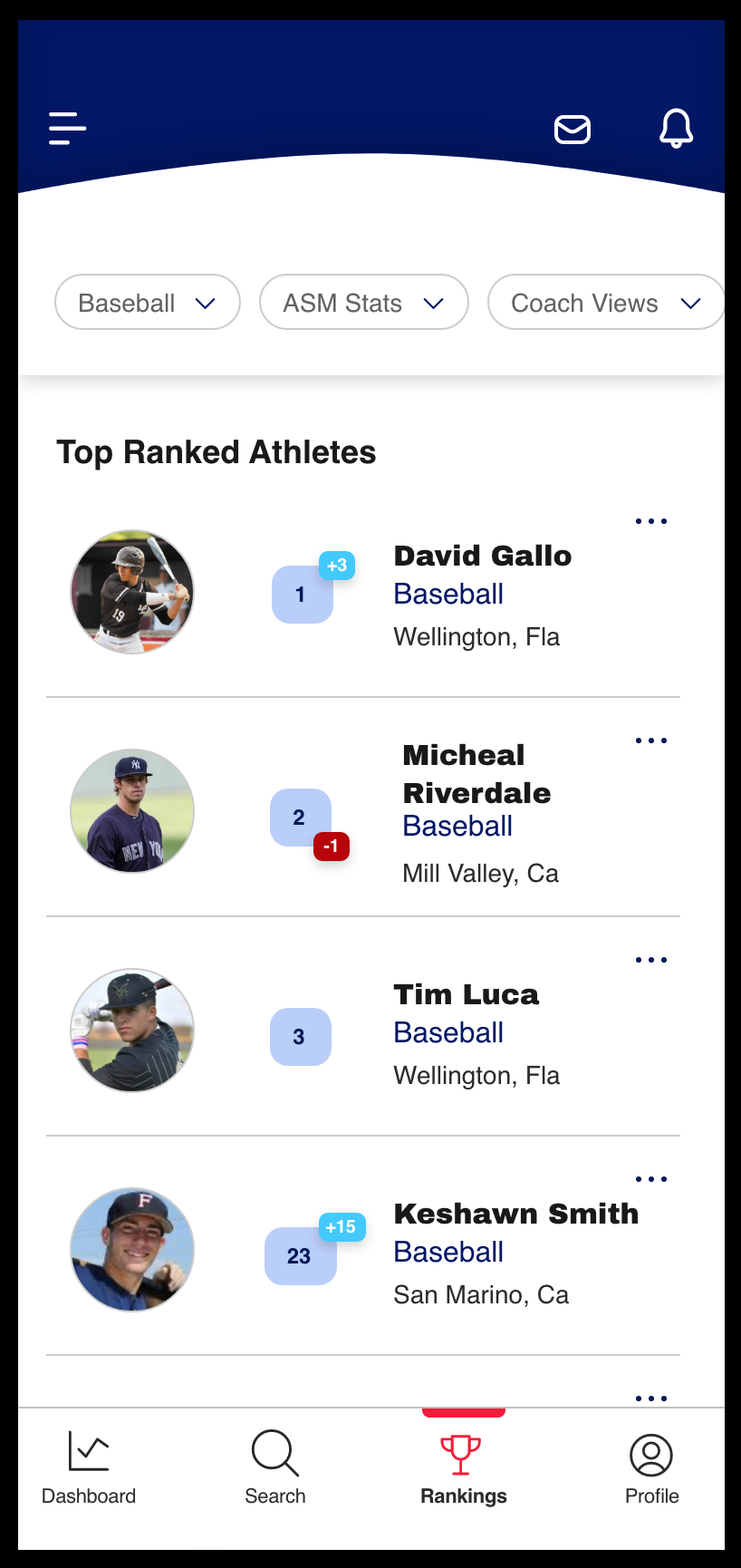
Additionally, coaches have access to a ‘ranking’ pane in their menu bar. Here, they can filter athletes (by sport, stats, profile views, etc.) and see how they rank. These rankings update automatically with the athlete’s personal stats. Coaches therefore gain visibility into the athlete’s most recent rankings, and can see if the athlete climbed or dropped in the table.
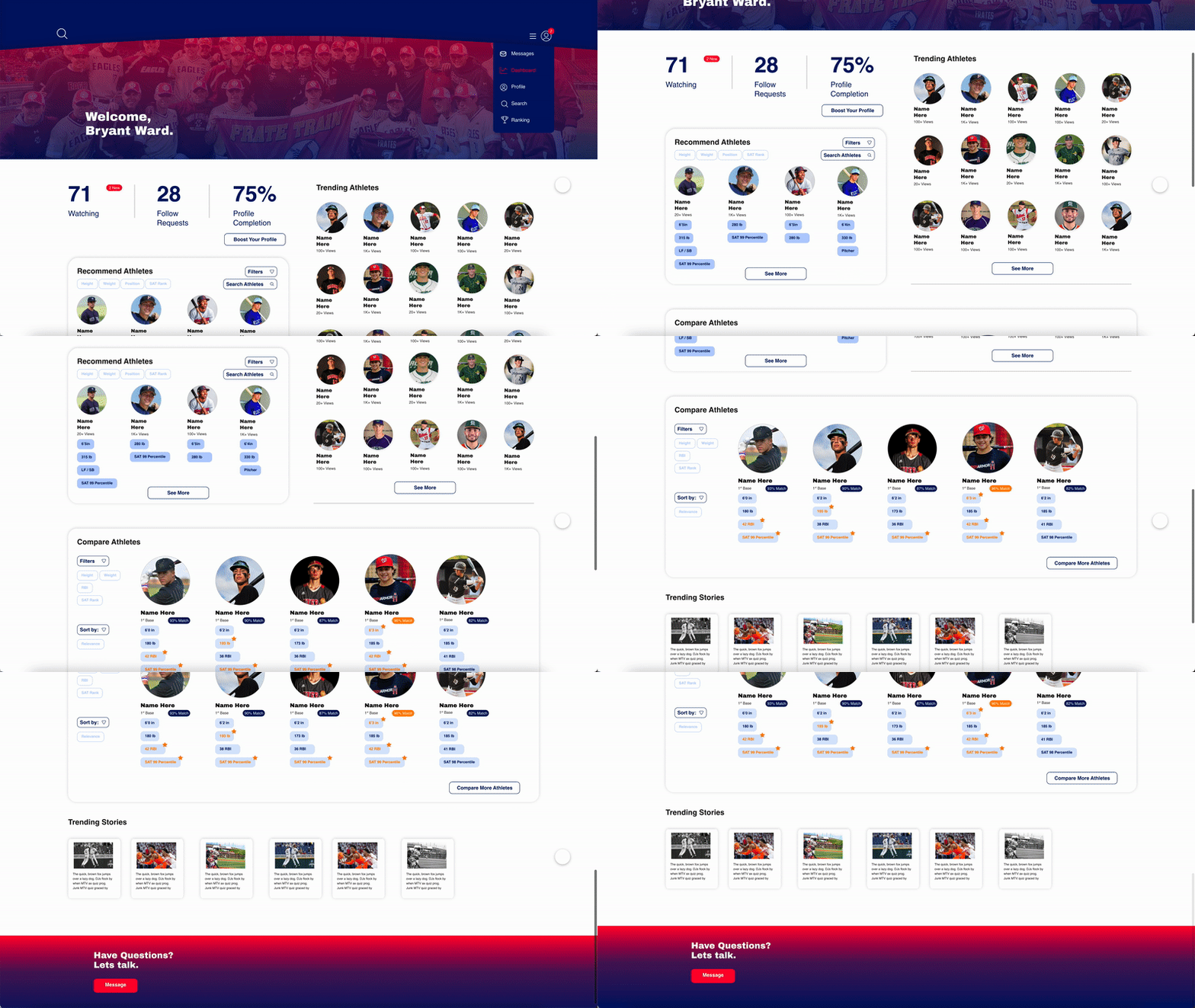
Finally, coaches have access to a web-browser portal. Apart from the features already available in the mobile app, coaches can also compare multiple athletes side-by-side, filter based on preference, and compare rankings.
Note: Some features are only available to users through a premium subscription. Details on this subscription have been excluded due to NDA.
Takeaways:
Research: Competitive analyses not only shed light on what’s already on the market, but also give insight into customer pain points.
Dashboards: It takes time to asses what/how aggregated data should be presented on a user’s dashboard. Don’t vary the style of visual presentation for the sake of it. A dashboard full of pie-charts is fine, if that’s the most effective way of presenting the data.
Accessibility: One great way to make your design more inclusive is to reduce pixels. Take out any unnecessary components that serve no purpose other than UI ‘glitter’